Programming has been a
hobby for me since I was 16 years old. Now while I am working as a
Graphics designer it has become an important tool for me to create
special effects, improve efficiency, and build workarounds. Of course,
I haven't got the skills of a professional programmer, but nevertheless
I was able to create some tools which improved the efficiency of our
team a lot.
I am experienced in the following languages and APIs:
- 6502, Z80 and M68K Assembler
- Pascal
- C / C++
- Maxscript
- Max SDK
- QT
Of course, in my daily work Maxscript, C/C++ and the Max SDK are the
most important tools for me. Some of the tasks I met using
Maxscript was a manager to improve material handling, a bulk exporting
tool for the Renderware exporter, some tiny scripts to improve handling
(set the pivot point to center with one click, bulk rename objects
etc.).
Tasks I met using C/C++ was an improvement to the builtin Max plugin
"Assign
vertex colors", which could assign vertex colors additively or
subtractively, improvements on the Direct X exporter (vertex
colors/alpha, doublesided materials, bugfixes...), a plugin for UV
coordinates noise and a small manager for copying and renaming network
rendering files.
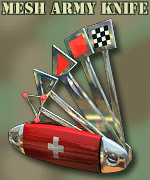 One of the most
important tools I created was the tool "Mesh Army Knife", which you can
download here. It is a modified version of the standard Max modifier
"Edit Mesh" with many improvements, such as
UV correction in target weld, bugfixes, a geometry paint tool etc. A
detailed description and manual is available too. One of the most
important tools I created was the tool "Mesh Army Knife", which you can
download here. It is a modified version of the standard Max modifier
"Edit Mesh" with many improvements, such as
UV correction in target weld, bugfixes, a geometry paint tool etc. A
detailed description and manual is available too.
The Plugin was compiled for 3ds Max 4.x, and should also work under Max
5 (but this is not guaranteed, as I can't test it).
To install the plugin, just copy the file "MeshAK.dlm" to your
3d studio max plugin directory and restart max.
Mesh AK 1.8 (32bit & 64bit, for max 2010 up to 2017)
Description and Manual
Mesh AK 1.43 (32bit & 64bit, for max 4.2 up to 2009)
I'd be happy about feedback. Please mail me ,if you like Mesh
Army
Knife, if you've found a bug, if you've got critic or ideas for
improvements.
|
